

Rumus v0.1.21
This release brings Kubernetes into Rumus. Your clusters now live in the Vault alongside your SSH hosts, the Agent can read and operate them with proper approvals, and Fleet Mode can target cluster contexts right next to regular machines — so "do this across my infra" finally includes your clusters.
Features
Kubernetes
A new first-class integration that spans the Vault, the Agent, and Fleet Mode.
kubeconfig in the Vault.
The Agent can operate your clusters.
Fleet targets clusters too.
UI & Experience
Vault is now a card-style home. The Vault opens to a grid of categories — Hosts, Keychain, Accounts, Snippets, Known Hosts, and Kubernetes — each with its own icon and color. Pick a category to dive in, with a clear title, description, and a back button; the overview no longer drops you straight into a sub-screen unless you came in from a deep link.
macOS windows follow the system corner radius.
Improved the responsiveness of opening and unlocking the Vault.
Bug Fixes
Agent
No more infinite "loading" on high-latency servers.
Rejecting a plan now actually stops the Agent.
Tool auto-approval behaves predictably.
Terminal
Closing a high-latency SSH tab no longer freezes the whole UI.
Settings & Vault
Settings panels are unified to a single 640px width, and acrylic-theme readability was improved (white icons/text in the file sidebar header, Agent sidebar controls, title-bar controls, and the selected settings item).
Fixed a stale one-time deep-link intent that could wrongly pop the host create/edit dialog when reopening the Vault; switching categories now lands you on the overview.
Popup lists (Fleet target / host / workspace selectors) that overflowed without showing a scrollbar now scroll correctly.
Rumus v0.1.20
A small but important fix release: custom, self-hosted model endpoints that listen on a non-standard port now work out of the box.
Bug Fixes
Agent
Custom API endpoints with a port now connect. Self-hosted, OpenAI-compatible endpoints that include an explicit port — LiteLLM on
:4000, Ollama on:11434, in-house gateways, and the like — were being blocked with aurl not allowed on the configured scopeerror, even though the same endpoint worked fine from curl or Open WebUI. The HTTP allow-list matched only port-less URLs; it now accepts any host and port overhttp/https, so a base URL likehttp://192.168.1.1:4000/v1connects normally. Thanks testkey (#29).
Rumus v0.1.19
This release is all about scale. Fleet Mode turns a single Agent conversation into a control plane for a whole group of hosts — describe what you want done, review one approval card, and watch it roll out safely across every machine.
Features
Fleet
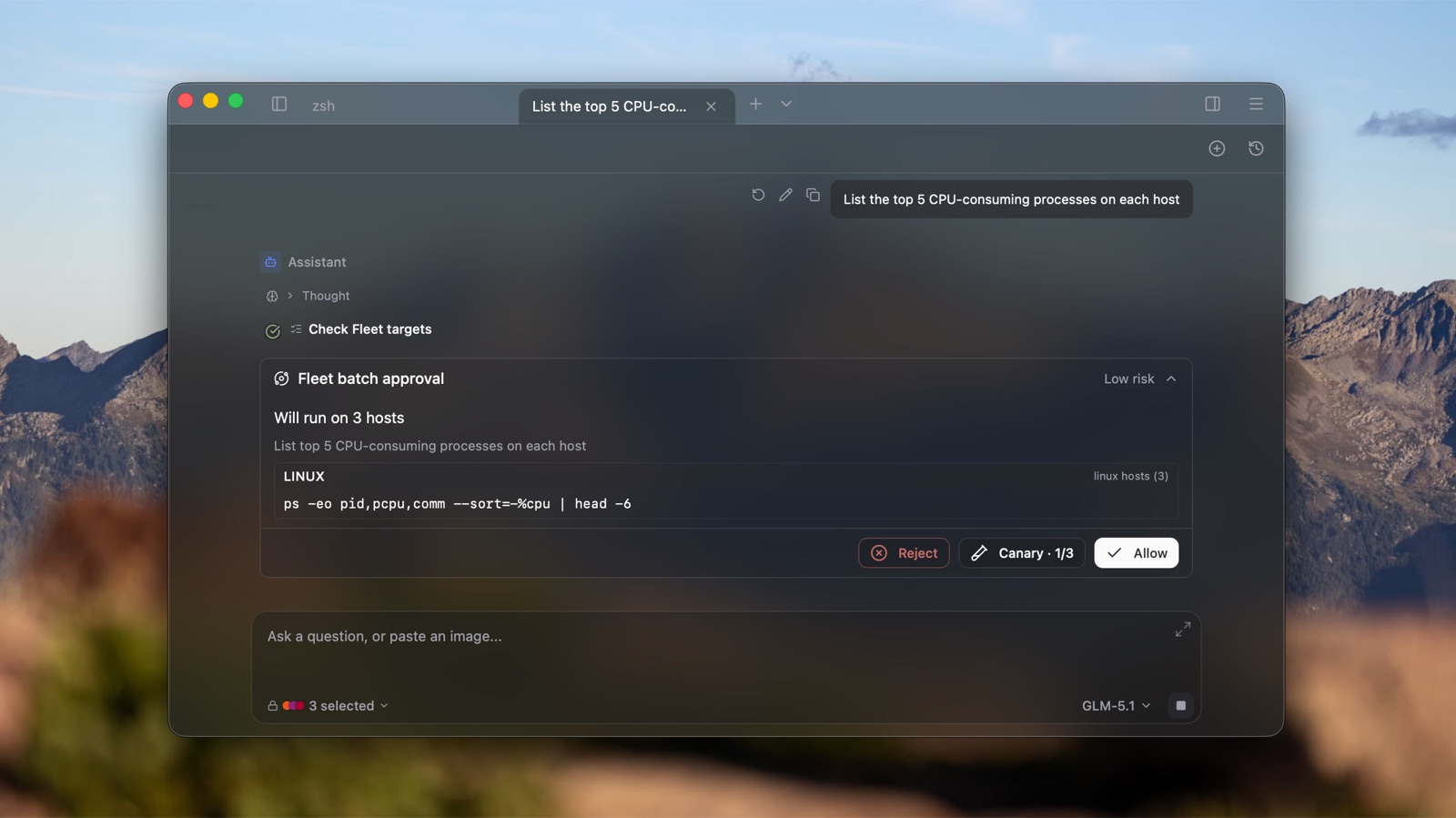
Fleet Mode is a new way to operate a group of machines from a single Agent conversation. Instead of SSH-ing into each box and repeating yourself, you pick your target hosts once, describe the task in plain language, and the Agent plans, batches, and executes it everywhere — with a safety review before anything runs.
Pick your targets, then talk. Choose the hosts you want to operate on from a tree-style selector (grouped, with each host's own icon). Targets lock in after your first message so a long task can't drift onto the wrong machines, and a "+ New host" entry lets you add one without leaving the flow.
One approval card for the whole batch. Before any command runs, the Agent surfaces a single batch-approval card inline in the conversation — showing the exact command, how many hosts it targets, and a risk label. The card lives in the message stream, persists with its results, and is restored when you reopen the conversation.
Canary rollouts built in. Roll a command out to a small canary group first (configurable count / ratio / timeout). The Agent pauses for your explicit "continue" before fanning out to the rest, so a bad command stops at one or two hosts instead of all of them.
A live Fleet HUD. As hosts connect and commands run, a compact status grid shows every host as a chip grouped by state, with per-host stage labels. Failures bucket-aggregate by error reason, and a "Retry N hosts" button re-runs just the ones that didn't make it.
OS-aware execution. Right after you pick targets, Rumus silently pre-flights each host to detect its OS and distribution, so the Agent can tailor commands to what's actually on the other end.
Shared, reused SSH connections. Fleet sessions reuse the same connections as your terminal tabs, connect silently the moment you save targets, and queue trust prompts when several unknown hosts need approving at once.
Its own history. Fleet conversations get a dedicated history, reachable from a button in the top-right of the tab, separate from your regular Agent chats.
Configurable connection timeout (default 20 seconds) so slow or unreachable hosts fail fast instead of hanging the batch.
Account
A unified subscription / sign-in gate with an in-app Pro upgrade flow — upgrade right where you hit a limit, without bouncing out to a browser.
Every free user now has a monthly quota of AI credits to use.
UI & Experience
Opening What's New shows a loading state immediately, so a click never feels like it silently stalled.
Bug Fixes
Account
Token refresh now uses a single-flight lock, so concurrent refreshes can't reuse an already-rotated refresh token and log you out by mistake.
On startup, rumus retries with backoff instead of treating a not-yet-ready network as a failed login.
Terminal
Suppressed the stray
%marker that briefly appeared the first time a new terminal opened.Restored the
ZDOTDIRthat zsh integration injects, fixing shells that depend on a custom zsh config directory.
UI & Experience
macOS: the vibrancy blur layer is now forced to a dark appearance for a consistent look.
Performance & Platform
When the Vault is already unlocked,
checkSecurityReadynow skips the redundant server-meta sync.
Rumus v0.1.18
Features
Containers
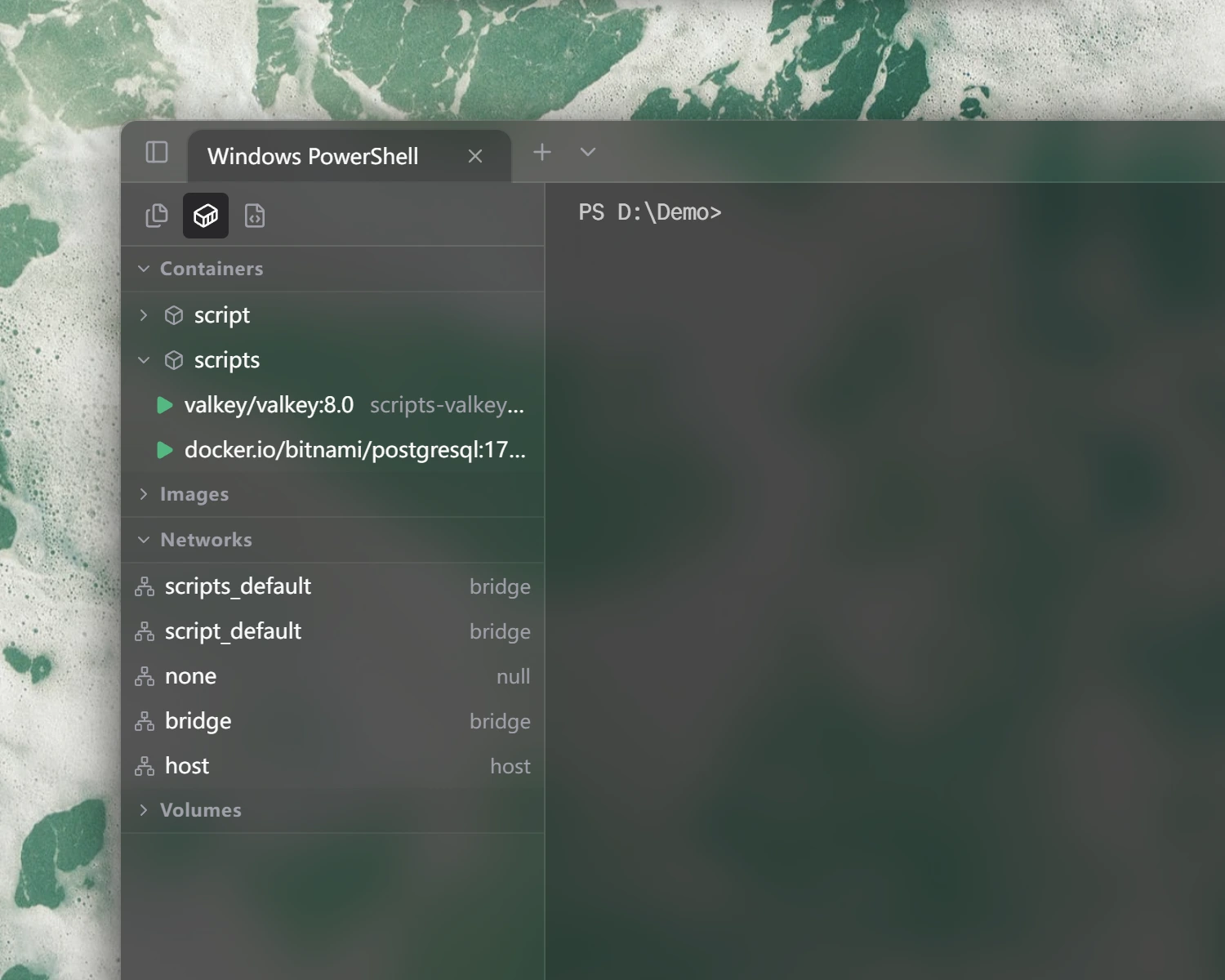
New Containers panel in the sidebar — manage containers, images, networks, and volumes without leaving Rumus.
Connect three ways: local Docker, Docker inside WSL on Windows, or a remote host over SSH.
Compose projects group automatically, with one-click start / stop / restart / pause / remove / rename for whole stacks or individual containers.
New Logs tab with live tailing, follow-bottom, pause, and save-to-file.
New Container card on the Workspace dashboard, plus a card-type dropdown so you can pick local / WSL / SSH per card.
UI & Experience
Sidebar tabs are now icons (Files / Containers / Scripts) with tooltips, leaving more room for content.
Agent
We’ve refactored our Agent codebase to deliver a significantly smoother, more reliable performance.
Bug Fixes
Agent
Switching away from a chat and back no longer duplicates the conversation.
Wide code blocks in your messages stay inside the bubble and scroll horizontally instead of overflowing.
Rumus v0.1.17
A focused follow-up to v0.1.16. The big themes this release: your Vault now travels with your account, the terminal gets a lot less fragile, and a few often-used surfaces (monitor, MCP, settings) catch up on long-overdue polish.
Features
Vaults & Account
Your Vault now follows your account, not your device
Sign in on a new machine and your Vault is recognized automatically — no more "starting from scratch" every time you switch laptops.Existing local Vaults from older versions get linked to your account the first time you sign in, transparently.Reset your Vault by email
A new two-step Reset Vault flow sends a verification code to your email, then wipes both your local copy and the cloud record together — no more "I cleared it locally but the cloud still thinks I have one" confusion.A confirmation dialog before signing out
Signing out from the user menu or Account page now shows a clear warning: your local Vault copy will be cleared, but your cloud data is safe.
Terminal & Workspace
Reconnect a dropped terminal in one click. When a session disconnects, you'll see an inline message right in the terminal. Press Enter or click the red button
in the top-right to reconnect. No more closing the whole workspace just to get back online.Click to type an exact zoom level. The zoom percentage on the canvas is now clickable — tap it and type any value between 25% and 200% instead of fiddling with +/− buttons.
All your disks, not just the root partition. The disk card of workspace now lists every real partition on the machine, both for local and remote hosts. Virtual filesystems (tmpfs, overlay, squashfs, etc.) are filtered out so you don't see noise.
GPU card moved above the disk card — closer to where you'd expect it in the hardware-importance order.
Agent
You can now set custom headers, auth, and timeout for SSE and Streamable HTTP MCP servers — so private MCP endpoints that need an Authorization header just work.
Tool names are automatically sanitized to satisfy provider validation rules, so MCP tools with unusual characters in their names no longer get rejected.
UI & Experience
Documentation link in the tab menu — opens the Rumus docs in your default browser.
Account page of settings is now the first tab in Settings and is the default landing page.
Reset Vault moved from the Vaults page to the Account page of settings, alongside the new email-verified reset flow.
Bug Fixes
Terminal
Copy / paste shortcuts sometimes stopped working after switching tabs or focusing another terminal in a workspace.
Garbled characters in the terminal that only cleared after scrolling. The renderer now refreshes itself when you switch tabs or change theme, and recovers automatically if the GPU context is lost (falling back to canvas rendering as a last resort).
WorkSpace
Local disk usage was frozen at the value it had when Rumus started — now it updates live like everything else on the card.
Settings
Clicking "Manage in Settings" from the Scripts sidebar did nothing if Settings was already open. It now jumps to the right section every time.
Cramped button on the Vaults setup card — the action button no longer sits flush against the description text after it wraps.
Rumus v0.1.16
Features
Agent
Redesigned Agent chat sidebar with a new Plan Progress HUD
Your Agent conversations used to scroll as a flat transcript — useful for reading history, less useful for knowing where a long multi-step plan actually is. The sidebar is now structured around what the Agent is doing: user messages are right-aligned bubbles with your avatar, thinking steps get a Brain icon with a live pulse, and tool calls collapse or expand based on whether they need your attention.
On top of that, a new PlanHUD sits above the input — whenever the Agent creates or updates a plan, you see progress at a glance and can expand the full task list without scrolling back up.
User messages are now right-aligned bubbles with avatar + name (falls back to "You" when signed out)
execute_commandkeeps its bordered card; pending approvals auto-expand so the approve buttons are always visibleget_terminal_contextnow uses the same muted styling as the thinking blockThinking block shows a Brain icon and pulses while streaming
New PlanHUD above the input bar displays the currently active plan progress (collapsible)
SFTP
File tree now shows dotfiles by default
Settings & Account
AI Skills now support Batch Import — multi-select JSON / MD / TXT files; JSON is parsed by field, non-JSON files are imported as a single instruction
Bug Fixes
Workspace
Edit-card dialog now offers Local / Remote terminal switching and profile selection (previously you could only pick a remote host, with no way to flip an existing card back to local)
Monitoring cards now restart monitoring immediately when the target host or refresh interval changes — no more re-opening the workspace
Agent
You can now collapse a pending-approval tool-call block
Auto-naming timeout raised from 10s to 30s so it no longer times out when queued behind a main Agent request
Fixed Z.AI provider returning 404 (#27; thanks Bilal Bayasut)
Sync
Fixed an infinite sync loop
Settings
Fixed the "Manage in Settings" link from the sidebar Scripts section doing nothing when Settings was already open
Platform & Build
Added Linux ARM64 build support (AppImage, deb, rpm)
Rumus v0.1.15
Features
Workspace
New workspace — Your Terminals, on an Infinite Canvas
Most terminal apps stack your sessions in a row of tabs. Workspace takes a different approach: it gives you an infinite canvas where you can place, resize, and arrange terminal cards freely — like a whiteboard for your command line.
When you're managing a deployment, tailing logs on three servers, and running a build locally, tabs force you to switch context constantly. Workspace lets you see everything at once. Lay out your terminals the way your workflow actually looks — side by side, clustered by project, or spread across a wide canvas you can pan and zoom through.
Terminal
Drag and drop files from the system file explorer into the terminal to auto-input file paths
Settings & Account
Added recovery key feature in Account Settings
Support configuring a default editor for opening text/code files (#24; thanks MinJie Hong)
Platform & Build
Added Windows ARM64 build support
Performance
Chat messages now appear instantly after sending — no longer waits for database and network requests
Bug Fixes
Sync
Fixed vault conflict timestamps showing as 1970 and sync toggle not syncing across devices
Fixed multiple issues in the client sync mechanism
Prevented empty data from overwriting cloud vault when secret key is not yet initialized
Fixed race condition where cloud data was not synced on startup
Terminal
Other
Fixed Agent command execution on Linux not capturing output
Rumus v0.1.14
Bug Fixes
Fix the issue where account-related information does not update automatically
Optimize the error message displayed after entering an invitation code
Rumus v0.1.13
Features
Agent
User messages now render with Markdown formatting (code blocks, links, lists, etc.), consistent with assistant messages
Support for out-of-order approval of multiple pending commands — when the LLM returns multiple tool calls, users can approve them in any order via a pre-resolved approvals mechanism
In Workspace mode, commands now execute in the target terminal's PTY instead of running in the background
Vault
Duplicate host: quickly create a new host based on an existing host's full configuration (auth, proxy, jump chain, environment variables, etc.) via a copy button in the host edit dialog
Global vault reset detection — when device sync detects a vault reset, the SecretKeySetup dialog now appears on any page with a toast notification, not just on the vault settings page
Auth & Account
Non-subscribed users now see an "Upgrade" button in Account Settings, linking to the pricing page
Added a "Top Up" button next to balance display in Account Settings
MCP, Rules, and Skills features are now restricted to Pro subscribers
Bug Fixes
Fixed out-of-order approval resetting tool call status to
pending—onApprovalNeedednow checks for pre-resolved decisions before updating statusFixed Workspace multi-terminal target display and stop button race condition
Simplified vault conflict dialog button styles — removed verbose description text, keeping only icons and labels
Rumus v0.1.12
Starting from this version, Rumus is fully usable without signing in or entering an activation code. Create terminals, connect to hosts, and use the AI agent right away — no account required. Sign in only when you need cloud features like sync and vault.
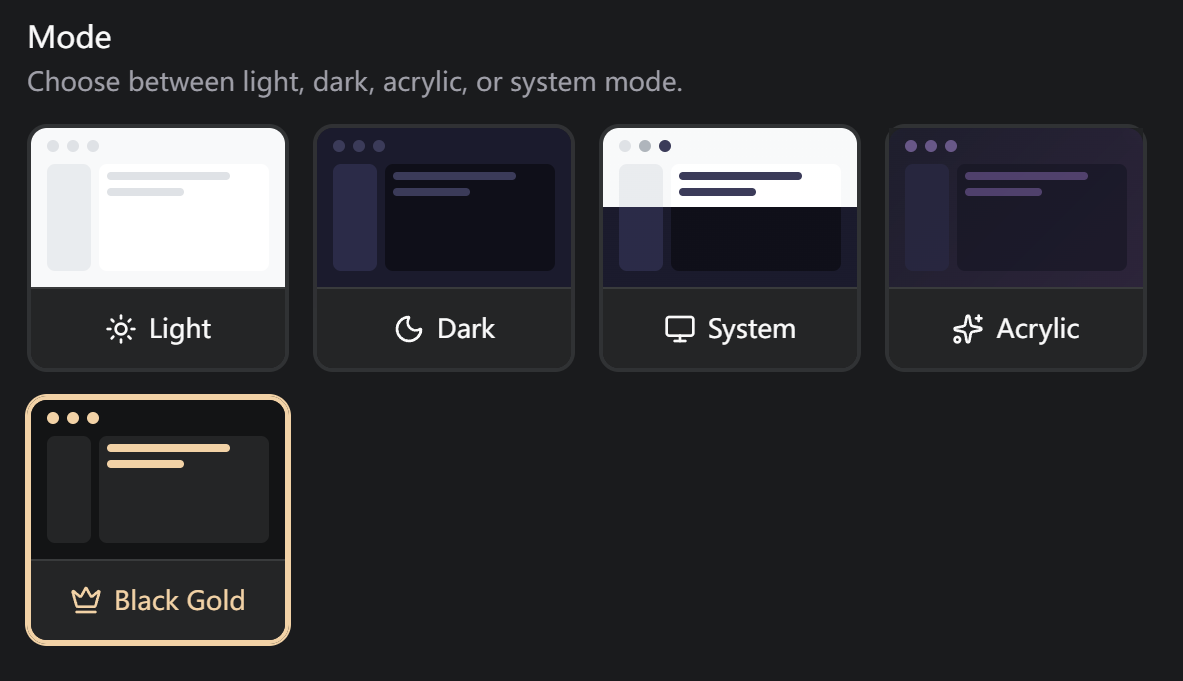
Users who participate in the beta and provide feedback will receive a complimentary Pro subscription and an exclusive Black & Gold theme, distributed on a rolling basis.
Features
UI & Experience
Dramatically improved startup performance
Vault settings page now shows a persistent description with a "Learn More" link at the top, with dynamic per-tab descriptions that update as you switch tabs
Improved Rumus Dark theme readability —
brightBlackcolor changed to a more legible blue-purple grayUser profile data (user info, balance, subscription tier) is now cached
Auth & Account
Invite codes: generate your personal invite code from Account Settings, share it with others, and redeem codes you receive. Each code is single-use
Simplified subscription tiers — removed the Max tier and unified everything under Pro. Built-in model access and cloud search are now gated by Pro subscription
Vault key conflict detection on login: when a local vault already exists and the logged-in account also has a cloud vault, the app detects encryption metadata differences and presents a conflict dialog with three options — use cloud vault, use local vault, or cancel login
Removed the Onboarding wizard flow, login check logic simplified
Add balance display to the account interface
i18n
Added 4 new languages: Traditional Chinese, Japanese, Korean, and Spanish
Language selector now displays all languages in their native names (e.g., 日本語, 한국어, Español)
Improved product copy: better empty state descriptions, enhanced SSH security warnings, vault tab descriptions, and chat input hints
Bug Fixes
Fixed Host Management dialog showing "Initialize Secret Key" instead of "Recover Secret Key" for users who already have a key
Fixed sync toggle for non-Pro users — sync settings and vault sync switch are now auto-disabled, "Sync Now" button is disabled,
Fixed model list API requiring authentication
Rumus v0.1.11
Features
AI / Agen
Agent subtasks can now properly display approval buttons when executing commands, instead of hanging indefinitely
Improved smart history completion: now reads more shell history entries and ranks suggestions using a heuristic scoring algorithm based on recency and frequency (thanks donny.rui)
Smart completion now works in nested shell environments, such as executing commands inside Docker containers (thanks donny.rui)
Interactive commands (sudo/ssh/passwd, etc.) are now auto-detected and forced into interactive mode to prevent output loss on timeout
UI & Experience
Improved approval button interactions: buttons now share the same default appearance, with "Approve" turning primary color and "Reject" turning red on hover, plus active press feedback
OpenAI-compatible providers now use the full endpoint URL provided by the user, fixing 404 errors for non-standard API paths like ZhiPu GLM
Auth & Account
Logging out now fully resets sync state and settings timestamps, preventing old account configurations from polluting a new account's cloud data
Bug Fixes
Fixed agent chat history disappearing after manually canceling — accumulated message content is now properly saved on abort
Fixed agent tool calls running in parallel causing subtasks to deadlock; switched to sequential execution with a 5-minute timeout safeguard
Fixed ongoing agent sessions being lost when navigating to the Settings page and back
Fixed pending approval sessions losing data when switching chats — streaming is now automatically stopped before switching
Fixed agent stop button not actually stopping generation and command execution
Fixed closing a tab hanging when an agent session is active
Fixed SSH remote terminal info falling back to local Windows system info when not connected
Fixed command whitelist storing only the first word; now stores command + subcommand prefix (e.g.,
npm install)Fixed title generation not falling back to the first sentence or timestamp on failure
Raised default command timeout from 5 to 10 minutes
Fixed parallel subtask UI status not updating in real time until all tasks finished
Fixed new users' "Initialize Secret Key" button being unresponsive in Host Management (thanks 纄蕺)
Fixed copy/paste not working in Workspace split-pane sub-terminals, and smart completion failing after entering Docker containers (thanks donny.rui)
Fixed OpenAI-compatible provider path concatenation error (e.g.,
/v4/v1/chat/completions) (#21; thanks 扎西德勒)Fixed agent being unable to read the current terminal's command history
Rumus v0.1.10
Features
AI / Agent
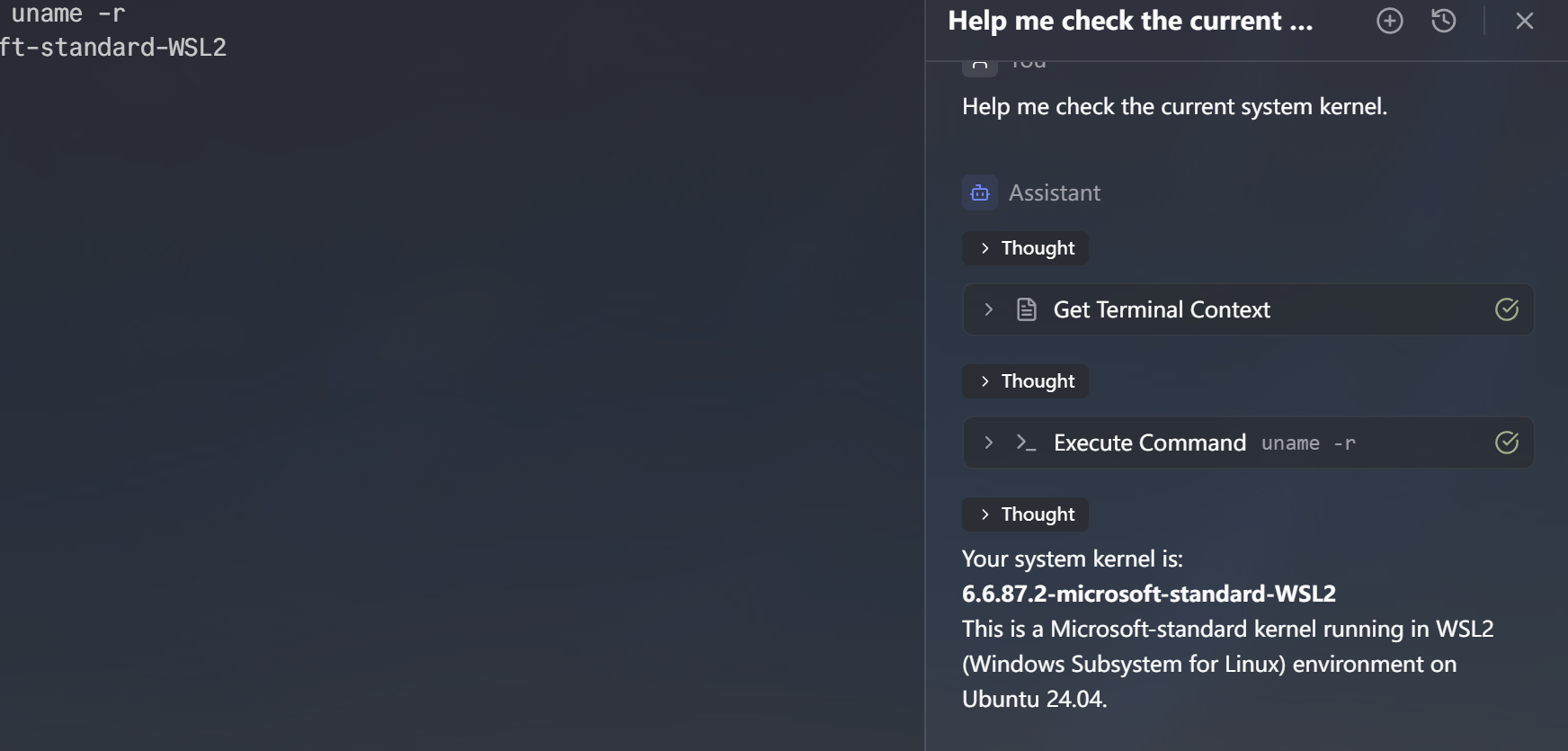
The Agent's command execution has evolved from background processing to real-time terminal interaction. Commands are now dispatched directly to the user's terminal with automatic result retrieval, ensuring full visibility of the entire execution history. (thanks 嘻嘻嘻嘻嘻嘻)
- Added OpenAI-compatible provider with custom API endpoint support — you can now connect to any OpenAI-compatible service by configuring a custom base URL (thanks 扎西德嘞)
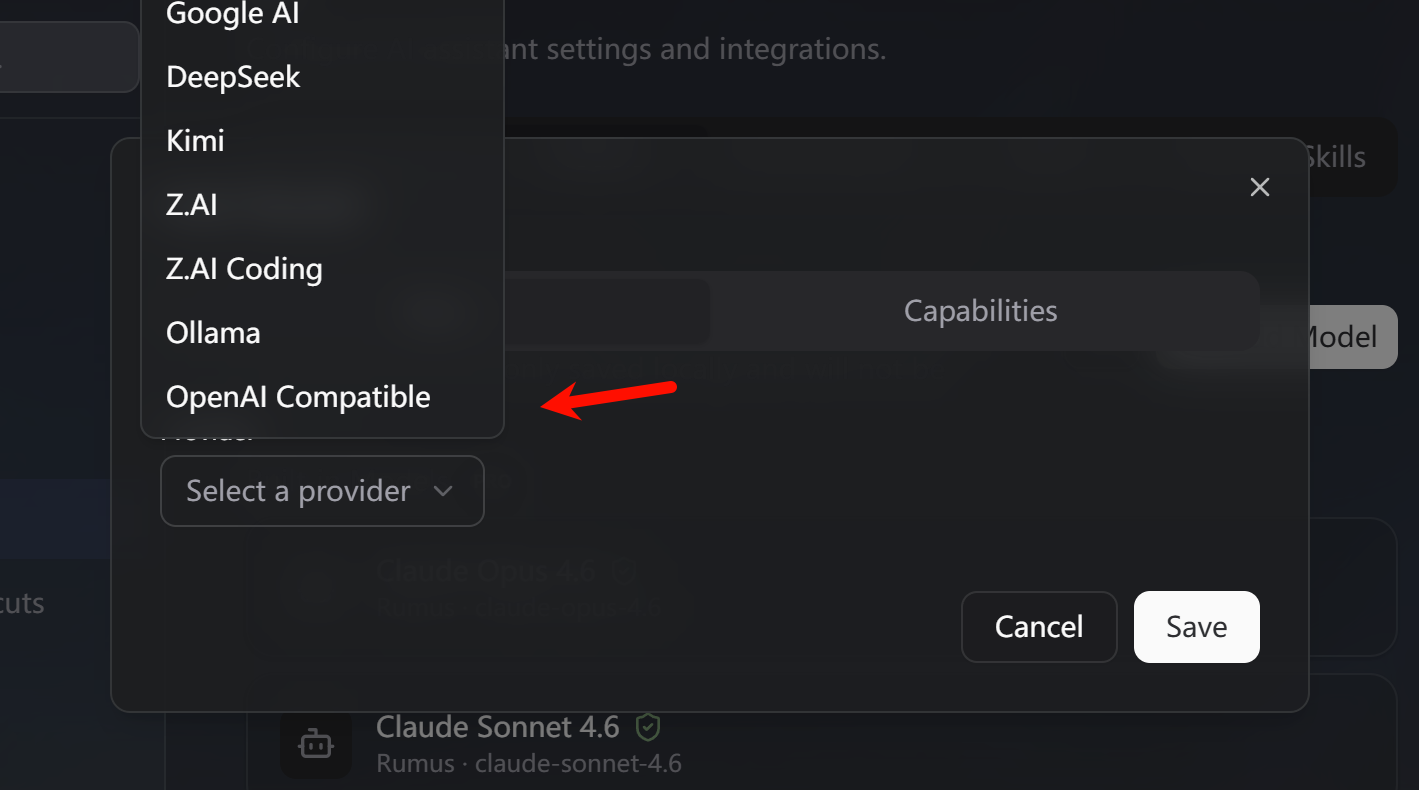
- Added DeepSeek, Kimi, and ZhiPu Coding model providers
Added GLM-5 model and updated static model lists for all providers
Support for remote MCP server connections (SSE + Streamable HTTP)
Agent commands now support queued execution in the terminal
Added "Integrate commands into current session" toggle — when disabled, the agent outputs commands as text instead of executing them interactively
UI & Experience
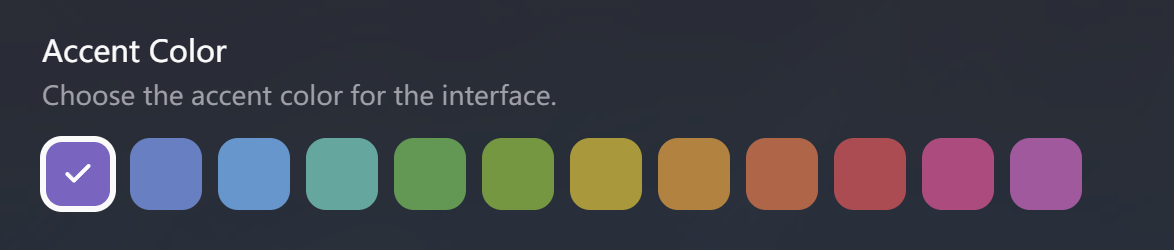
- Added terminal color scheme picker with 18 built-in color schemes (#20; thanks xiaosun)
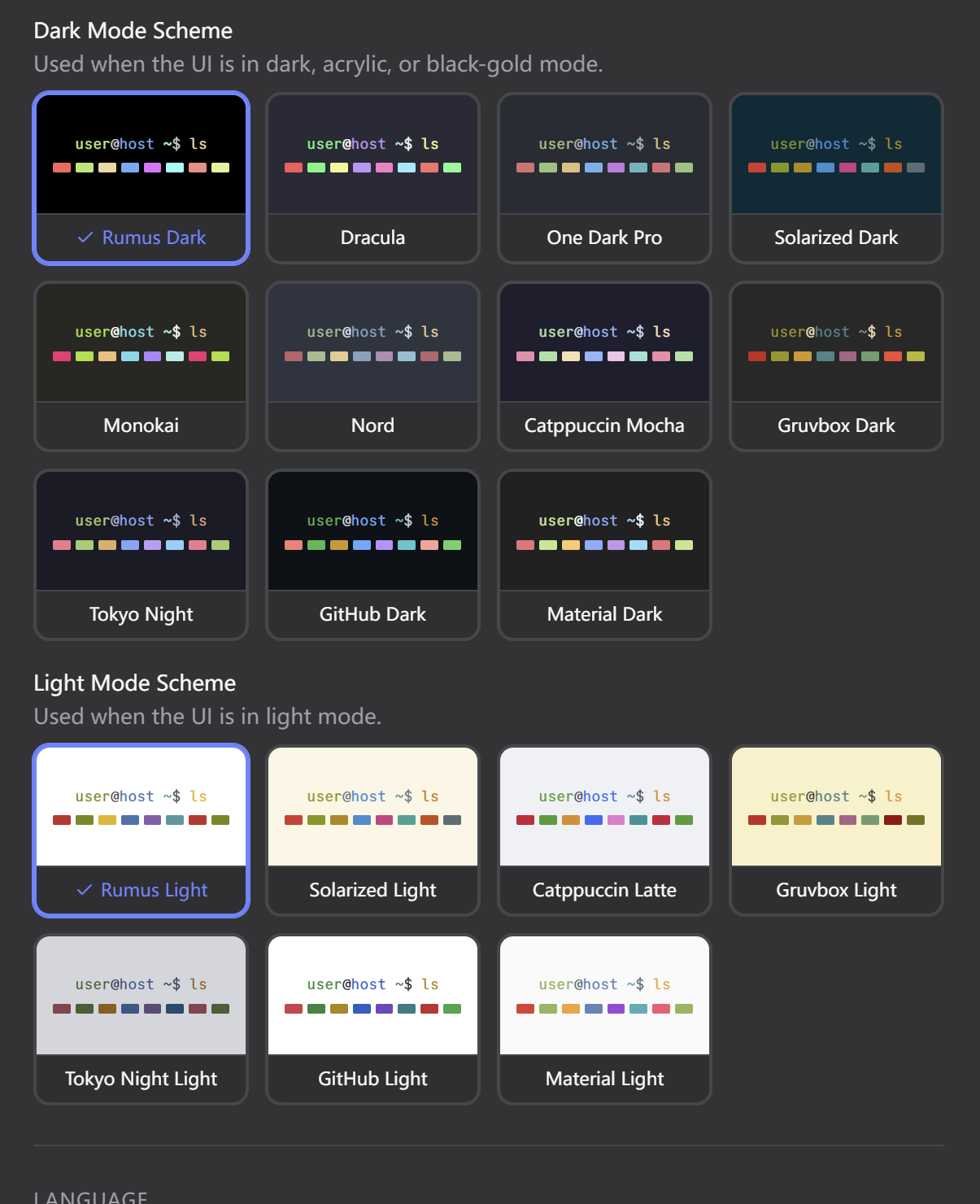
- Added smart completion settings — smart completion can now be toggled on/off in settings

- Adjusted popup menu and dark mode menu background opacity
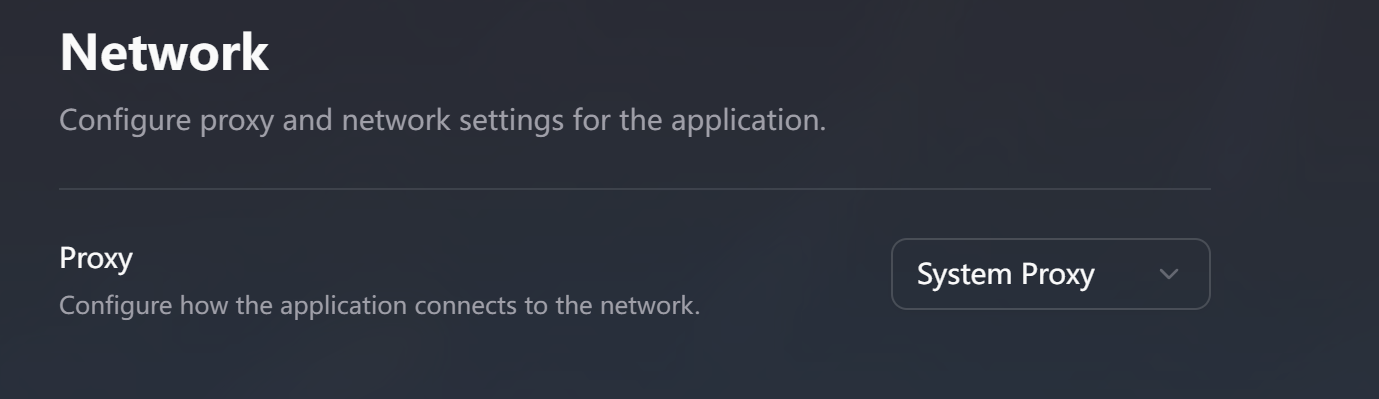
Added global proxy settings with three modes: system proxy, custom proxy, and no proxy
Linux
Re-exported icons from Figma with all required sizes, fixed blurry app menu icons
Fixed an issue where Vim became unresponsive to any keypress during file editing (thanks donny.rui)
Mac
Fixed an issue where Vim became unresponsive to any keypress during file editing (thanks hao he)
Bug Fixes
Fixed new users seeing the key setup dialog without any guidance when first opening Host Management (#19; thanks Qingqin Lu)
Fixed smart completion Tab key not completing and arrow keys causing the suggestion popup to disappear (thanks donny.rui)
Fixed Git Bash failing to launch when its path contains spaces; Git Bash and CMD now default to shell integration disabled
Fixed Anthropic API error where
max_tokensmust be greater thanbudget_tokensin thinking modeFixed OpenAI reasoning and
max_tokensparameter errorsFixed auto-approve toggle incorrectly approving non-whitelisted commands
Fixed smart completion input mode not restoring correctly after command execution
Rumus v0.1.9
Bug Fixes
Fixed an issue where the window did not follow the mouse while dragging
Fixed the Esc key not responding after the terminal entered interactive mode
Rumus v0.1.8
Features
UI & Experience
Both left and right sidebars are now resizable — drag the edge to adjust width
Double-clicking the title bar now correctly toggles maximize/restore
Simplified the onboarding flow by removing the secret key setup step
Updated application icon
AI / Agent
Removed the interactive command dispatch to terminal — the agent no longer sends sudo/ssh commands to the user's terminal for manual execution
Linux
Automatic terminal renderer fallback to Canvas on X11
Acrylic theme is now disabled on X11 with automatic fallback to Dark theme
Added missing desktop icon sizes
Bug Fixes
Host management dialog now correctly shows the secret key recovery flow instead of PIN unlock when the vault is not initialized
Fixed an issue where secret key files could sometimes fail to load during key recovery
Fixed title bar double-click not working
Rumus v0.1.7
Features
AI / Agent
Interactive commands dispatched to the terminal now end the agent's tool loop, allowing users to complete the interaction before the agent continues. The agent prompts users to notify it once they're done.
UI & Experience
Animated skeleton bubbles (bouncing dots) now appear while waiting for the AI's first token, replacing the previous "Generating..." text in the header
Unified all dialog scrollbars for consistent styling across Keychain, Snippets, Accounts, Known Hosts, and Snippet List dialogs
Optimized the host edit dialog layout — icon color picker merged inline, Shell Type moved from advanced settings to the basic info tab
Improved the onboarding flow logic
Bug Fixes
Fixed keyboard shortcuts not working in Vim mode
Fixed an error when dragging non-terminal tabs to a new window
Fixed an issue where backslashes were stripped from Windows paths, preventing terminals from launching
Fixed host management reading the key file path instead of the file contents after selecting a private key file
Fixed SSH sessions freezing during data‑intensive transfers.
Rumus v0.1.6
Bug Fixes
Fixed an issue where the
PATHenvironment variable failed to load correctly on macOS. (#18; thanks Robot)Optimized the display of the autocomplete menu.
Fixed an issue where pressing Tab failed to trigger completion when the input exactly matched a suggestion.
Rumus v0.1.5
Features
AI / Agent
Plan Mode
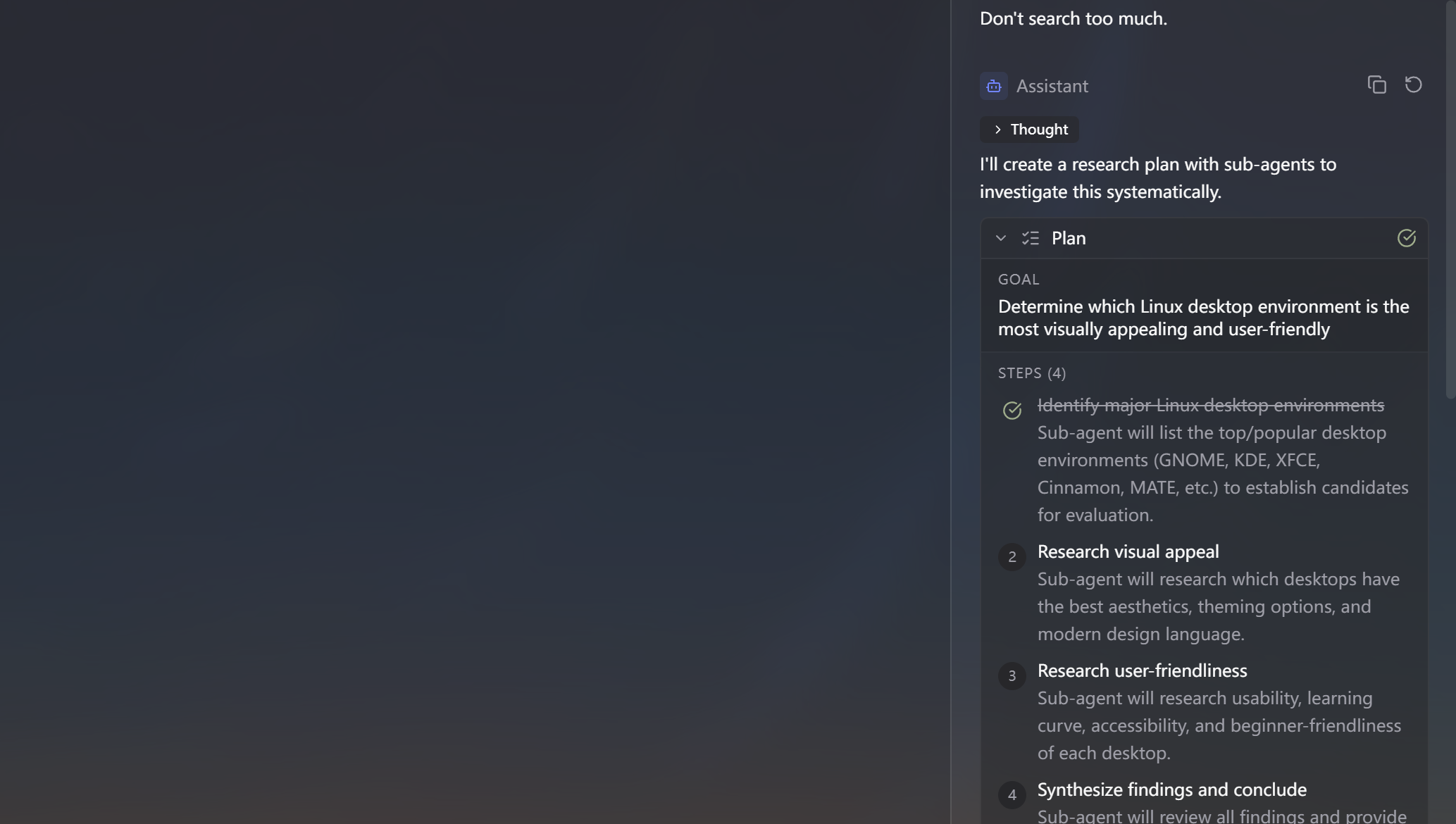
Plan Mode enables the AI to break down complex tasks into structured, multi-step execution plans before taking action. Instead of immediately running commands, the agent first creates a plan outlining its approach — complete with ordered steps, reasoning, and a clear goal. The plan is presented to you for review and approval before any execution begins. As the agent works through each step, progress is tracked in real time with visual indicators (pending, in-progress, completed, failed).
Plan Mode is always available — the AI automatically decides when a task is complex enough to benefit from a plan. No manual toggle is needed.
Sub Agent
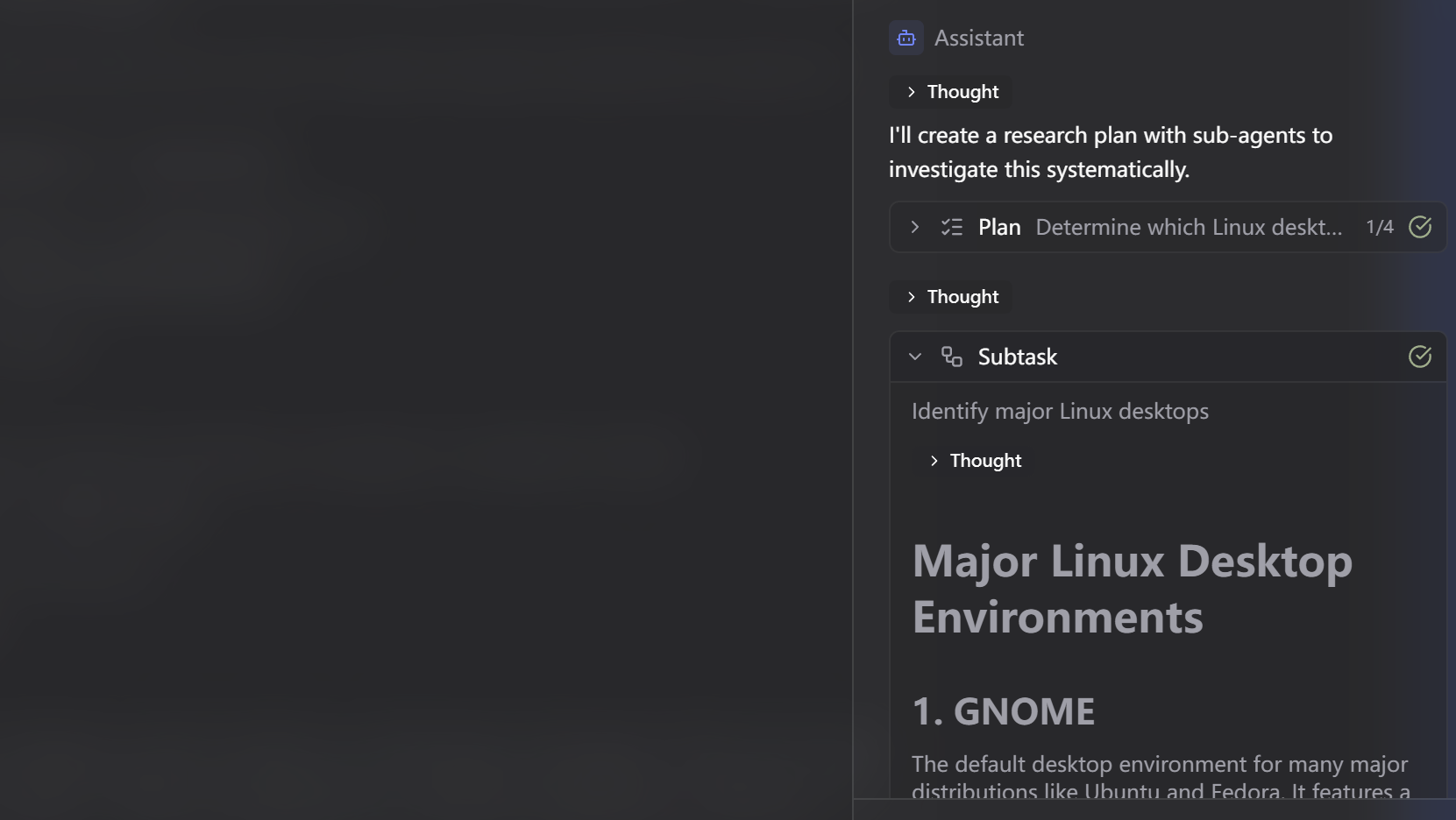
Sub Agent (also called Sub Task) allows the AI to delegate complex subtasks to independent child agents. When the primary agent encounters a problem that benefits from focused research, risk assessment, or parallel investigation, it spawns a sub agent that operates autonomously with its own context — while forwarding all tool calls and outputs back to the main conversation for full transparency.
Sub Agent is always available — the AI decides when task delegation is appropriate. No manual toggle is needed.
MCP (Model Context Protocol)
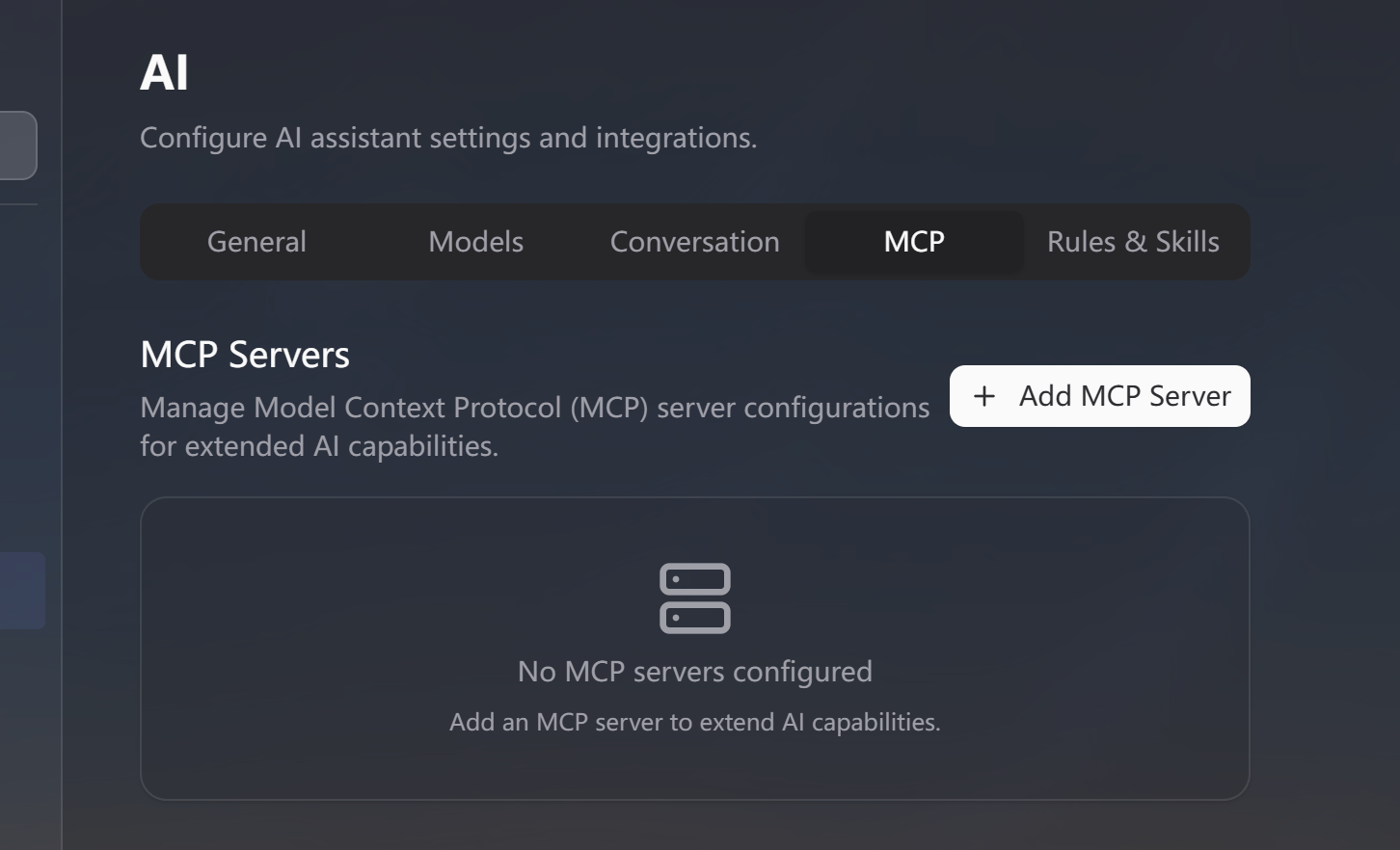
MCP is an open standard (originally introduced by Anthropic) that lets AI agents connect to external tools and data sources through a unified protocol. In Rumus, you can add MCP-compatible servers (e.g., filesystem tools, database connectors, API wrappers) and the agent will automatically discover and use their tools during conversations.
To configure MCP: go to Settings → AI → MCP, click Add, and paste a server configuration in JSON format. Each server has an enable/disable toggle. When enabled, the server connects automatically when the AI sidebar opens.
Skills
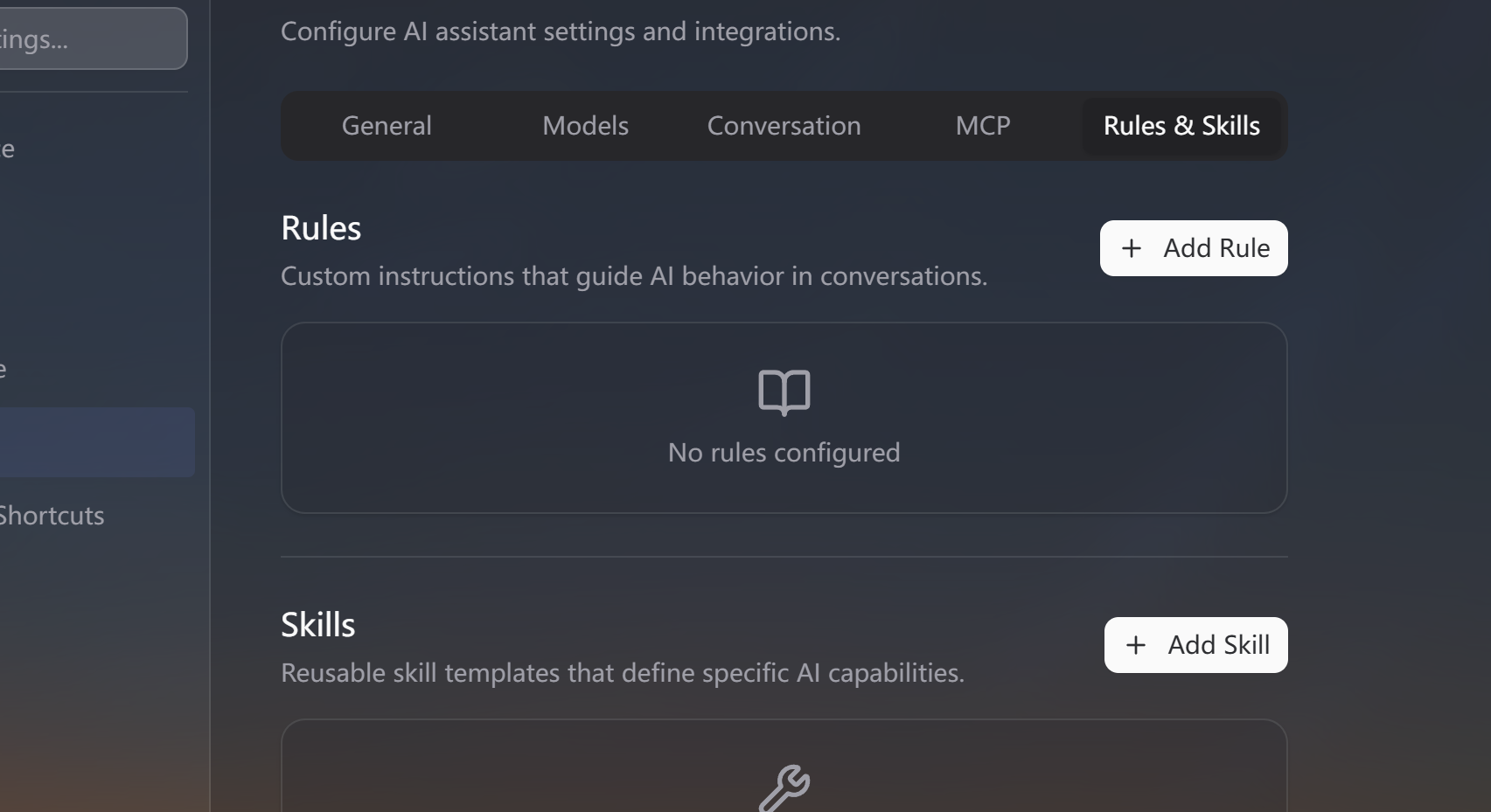
Skills are reusable instruction packs that extend the AI agent's knowledge and behavior. Each skill consists of a name, description, and detailed instructions. The agent sees all enabled skill names and descriptions, but only loads the full instruction content on demand — keeping token usage efficient while giving the agent access to specialized knowledge when needed.
To manage Skills: go to Settings → AI → Rules and Skills. Click Add to create a new skill, or upload a skill file. Each skill has an enable/disable toggle.
Cloud Web Search
Cloud Web Search uses the Rumus Search API to provide the agent with faster, more reliable web search results compared to the default local DuckDuckGo scraping. Search results include richer metadata such as extra snippets, content age, and site information.
To configure: go to Settings → AI → General and toggle Cloud Web Search. Enabled by default. When disabled, the agent falls back to local browser-based DuckDuckGo Lite search.
Other AI Improvements
Parallel tool execution — multiple independent tool calls now run concurrently
Automatic retry on HTTP 524 timeout errors
Full
tool_callsandtool_resultscontext now persisted and restored when reopening sessionsConversation rename request delayed 500ms to avoid racing with the main generation request
Tool
targetNamepersisted to database for display continuitytool_call/tool_resultmessage pairing guaranteed in streaming
Workspace
Bidirectional workspace sync — remote changes now automatically apply to local state
The monitoring card supports monitoring of the currently running computer
UI & Experience
We have re-optimized the display effects of acrylic themes across various systems
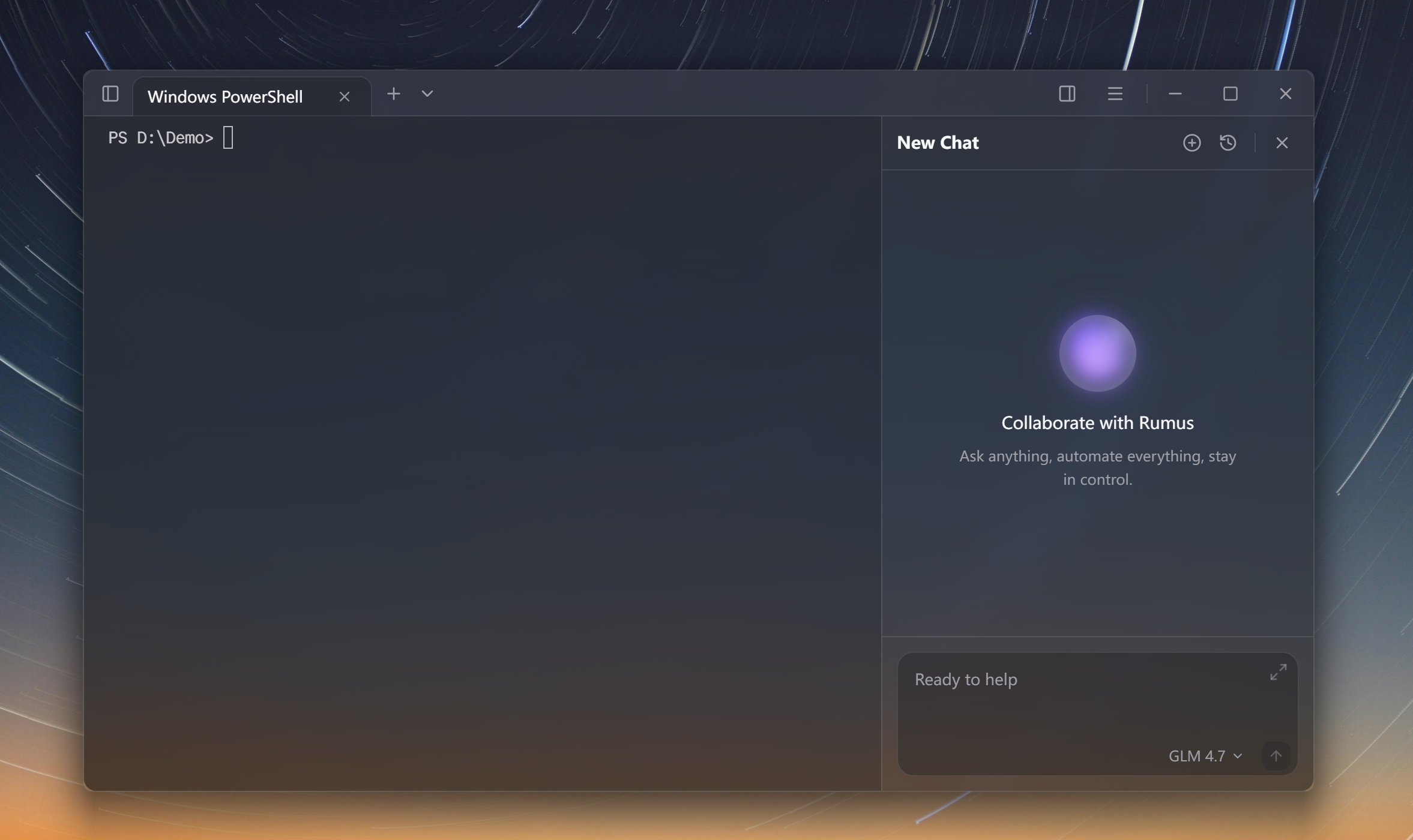
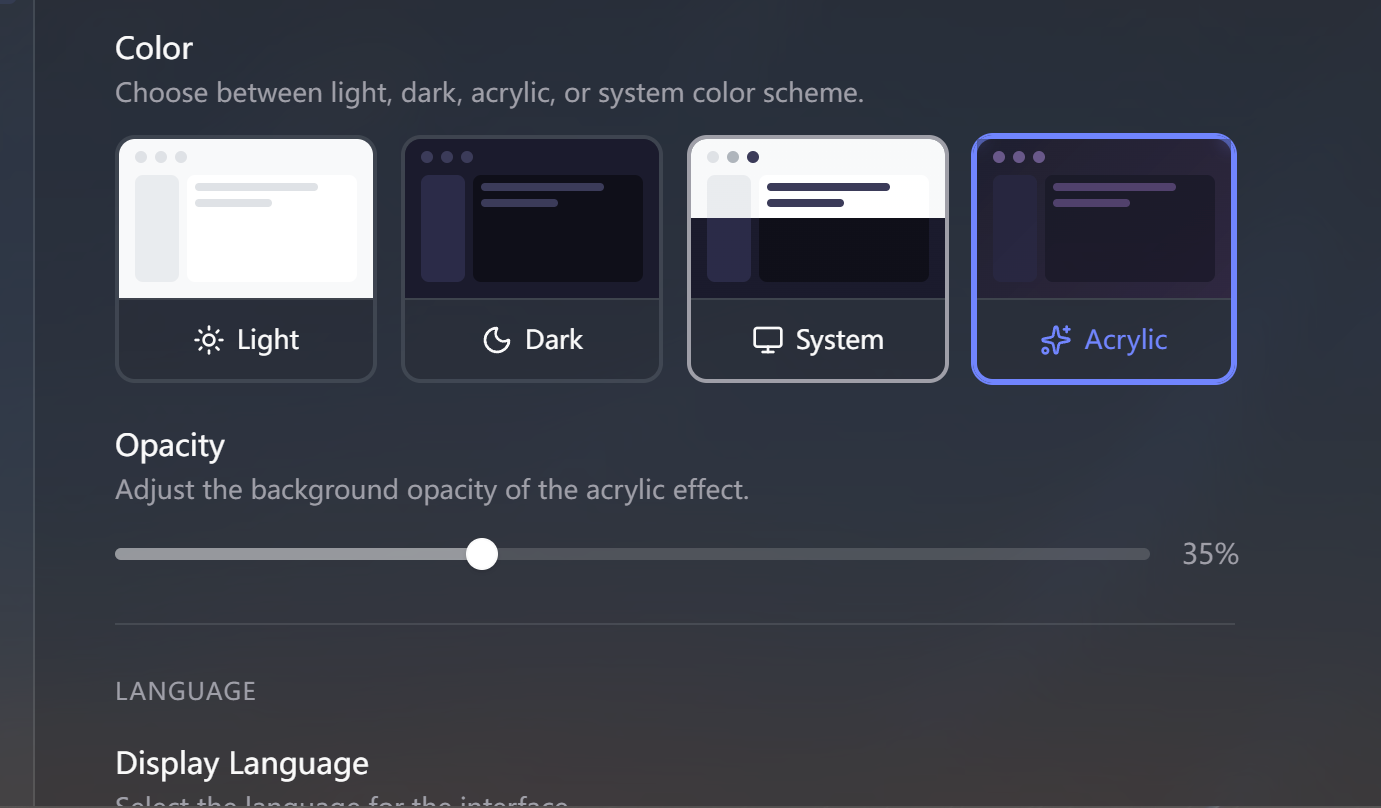
Now, under the acrylic theme, you can manually control the transparency of the background color (#17; thanks donny.rui)
Acrylic theme color refinements and removal of redundant background overlays
Sidebar now includes Files / Scripts tab switcher with a script list and file upload button
Linux
Added manual download update prompt for deb/rpm installation users
Optimized startup speed
SwiftShader software renderer detection with automatic Canvas rendering fallback
Removed Nvidia X11 WebKitGTK DMA-BUF environment variable workaround
Removed Linux acrylic noise texture effect
Clipboard fix for Linux
Bug Fixes
Fixed tool execution status being lost across sessions
Fixed Zod v4 tool parameter serialization issue
Fixed
user_infomissing causing session restore failureFixed deleted rules still being injected into system prompt
Fixed Progress card status icon stuck on loading
Fixed autocomplete menu not closing on Esc
Fixed free-tier users hitting "Database not initialized" and "BadFileKey" errors on first PIN setup (#14; thanks WEP)
Fixed bash terminal color rendering,
web_searchparameter compatibility, and log optimizationFixed Nvidia GPU auto-detection and WebKitGTK DMA-BUF workaround on Linux
Rumus v0.1.4
Features
AI / Agent
Rebuilt the Agent core architecture from the ground up
Added image support for Agent conversations, including paste-to-upload and zoom controls
Introduced token-based context management using js-tiktoken, replacing the fixed message count approach
Added Max Mode setting — when disabled, context is limited to 20k tokens; when enabled, uses the model's full context length
Automatic LLM summarization when context usage reaches 80% threshold
Added auto-naming toggle for conversations — choose between AI-generated titles or using the first message
Hide inline completions when the terminal enters interactive mode
Introduced multi-terminal support with per-tab isolated chat sessions
Each tab's agent now retrieves its own terminal context instead of sharing global state
Agent tools support a
targetparameter to execute commands in a specific terminalSidebar history automatically filters by the current tab's profile, host, or workspace
Detached mode: viewing history from a different context disables command execution
Workspace
Added
executeInTerminals/executeInAllTerminalsfor batch execution across multiple terminalsWorkspace-aware AI agent context retrieval and command execution
Added onboarding prompt when creating the second card in a workspace
Auth & Account
Added a note on the login onboarding step explaining that sign-in is required during beta
UI & Experience
Refined the chat input: removed Markdown preview, moved zoom buttons to the top-right corner, added slide transition animation, replaced the paper-plane send icon with an arrow
Added a ligature hint in terminal font settings to inform users about automatic ligature rendering
Added a first-run onboarding flow
Improved community link entry points
Linux
Improved overall display and styling on Linux
Bug Fixes
Fixed frequent auth session expiration
Fixed access token not being refreshed on a timer
Fixed errors during auto-naming and summary generation with built-in models
Fixed cross-device sync resetting Max Mode and auto-approve tool settings
Fixed CWD tracking using a stale static value (#11; thanks Wang zixu)
Fixed default model ID format not matching built-in model ID format
Fixed selected model being reset after refreshing the model list
Fixed terminal tab session never being created, preventing message sending
Fixed newly created sessions missing terminal context and session info callbacks
Fixed error when opening chat history with no session created
Fixed browser engine download dialog appearing when there is no active session
Enabled opening historical conversations directly from the Chat History page without switching to a terminal tab
Fixed Agent thinking process not being displayed
Fixed garbled Chinese input on macOS in production (#6; thanks Wang zixu)
Fixed missing syntax highlighting for command output on Linux
Changed all path comparisons to case-insensitive to fix replacement issues on case-mismatched paths (#8; thanks Wang zixu)
Fixed detected bash shell being discarded during initialization